
How do I place an order? (4 Simple Steps)Updated 5 months ago
Placing an order with Lead Apparel is simple. Choose your product, upload your logo, select your timeline, and approve your proof before production begins.
Step 1: Select Your Product
Start by browsing our collection of premium brands such as Nike, North Face, Patagonia, Peter Millar, Tumi, Under Armour, Johnnie O, Corkcicle and Timbuk2 .
You can easily narrow down your options using filters for color, brand, style, and price, which are available throughout the site.
Each product page provides key details like minimum order quantity, pricing, and available customization options, helping you make the right choice before moving forward.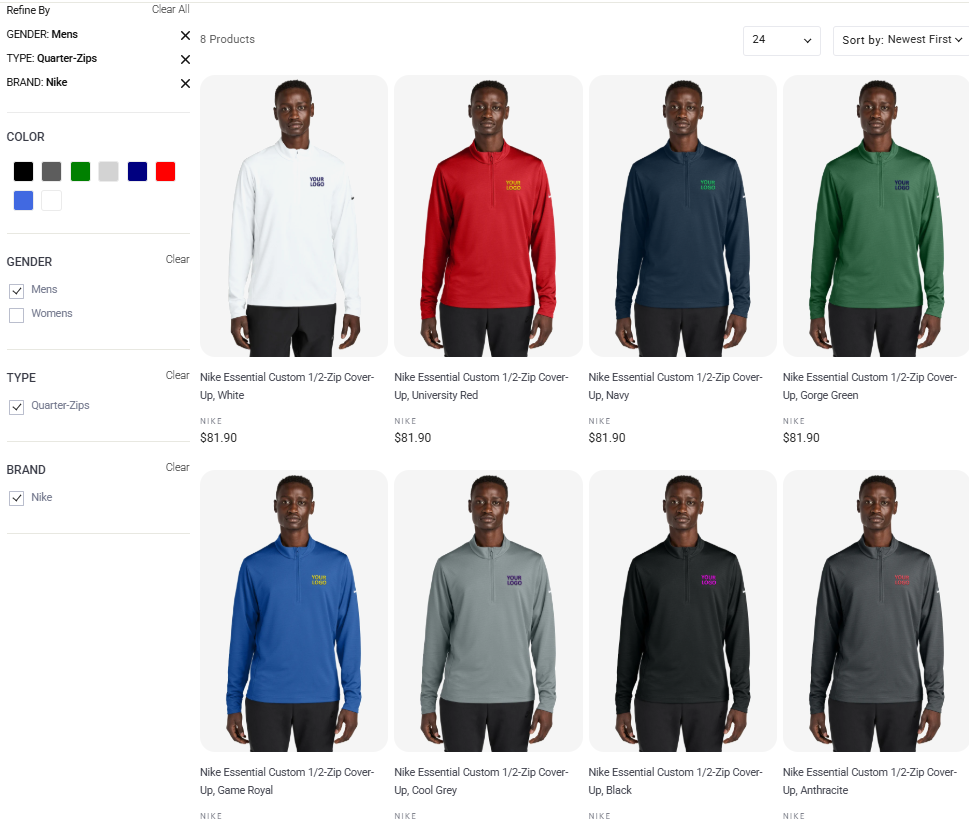
Step 2: Select Logo and Placement
Once you’ve chosen your product, you’ll select where your logo will be placed such as left chest, sleeve, or other available locations, and upload your artwork file (PNG or JPG).
If you’re a returning customer, you can select “Logo on file” to reuse a previously approved design. We securely store approved logos for up to 3 years, making reordering quick and easy.
At this stage, your logo preview will appear based on your selections, giving you an initial view before the official proof is created.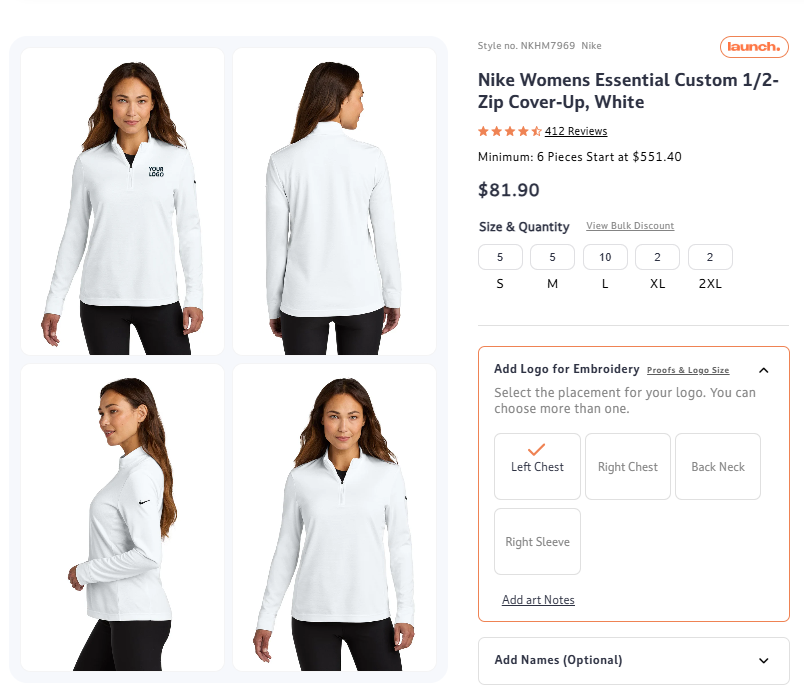
Step 3: Choose Your Turnaround Time (Standard or Rush Service)
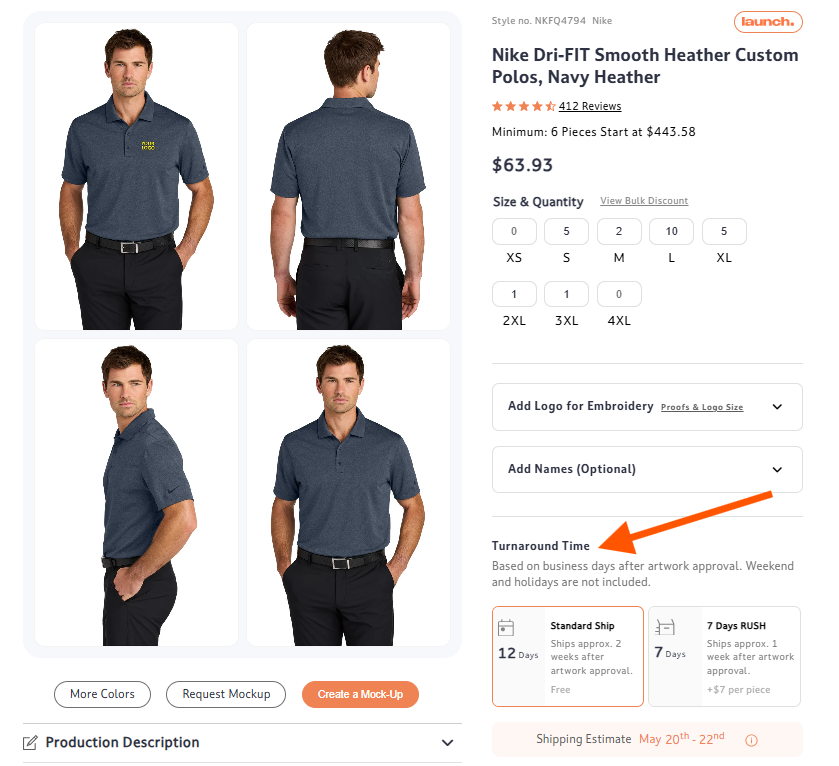
Next, you’ll select your preferred production timeline. Standard service follows our regular production schedule, while Rush service speeds up production for time-sensitive orders (additional fees apply).
For urgent needs, select products may also be available through Sonic Ship, which offers even faster production timelines. Keep in mind that production time begins only after artwork approval.
Step 4: Review & Approve Your Proof
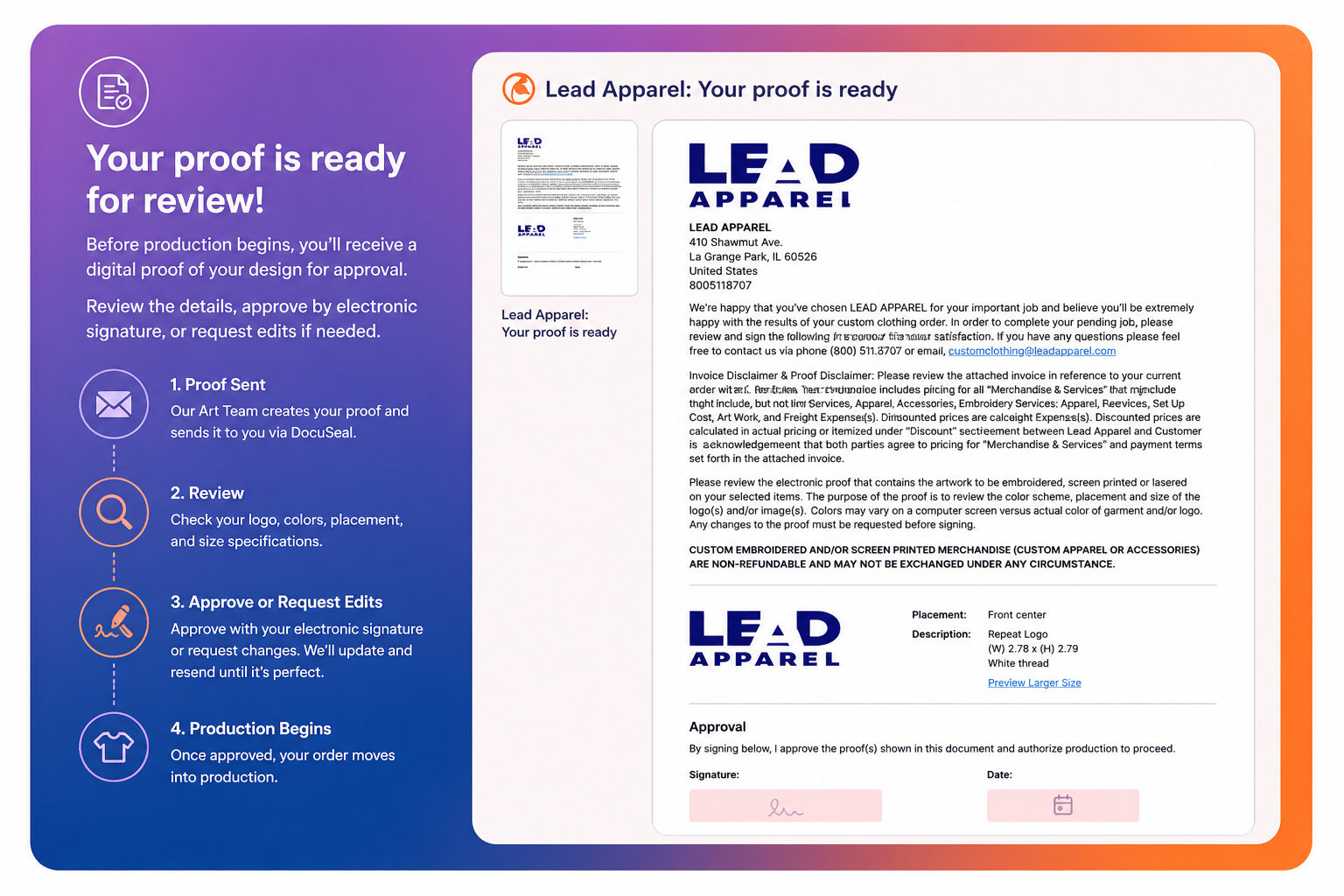
After placing your order, our Art Team will create a detailed production proof showing your logo placement, colors, and size specifications. This is typically sent within 3–5 business days via DocuSeal.
You’ll have the opportunity to review the proof and either approve it via electronic signature or request edits. Production will only begin once the proof is approved, ensuring everything meets your expectations.
What Happens After Approval?
Once your proof is approved, your order moves into production, followed by packing and shipping. You’ll receive tracking information once your order has shipped so you can monitor delivery.
Helpful Tips
Planning ahead is key, especially if you’re working with a deadline. Since production begins after proof approval, reviewing your proof quickly helps keep your order on track. If you’re unsure about artwork or placement, our team is happy to guide you before or after placing your order.
💬Need Help?
If you need help selecting products, uploading your logo, or understanding timelines, feel free to reach out. Our team is here to guide you through each step and make the process as smooth as possible.